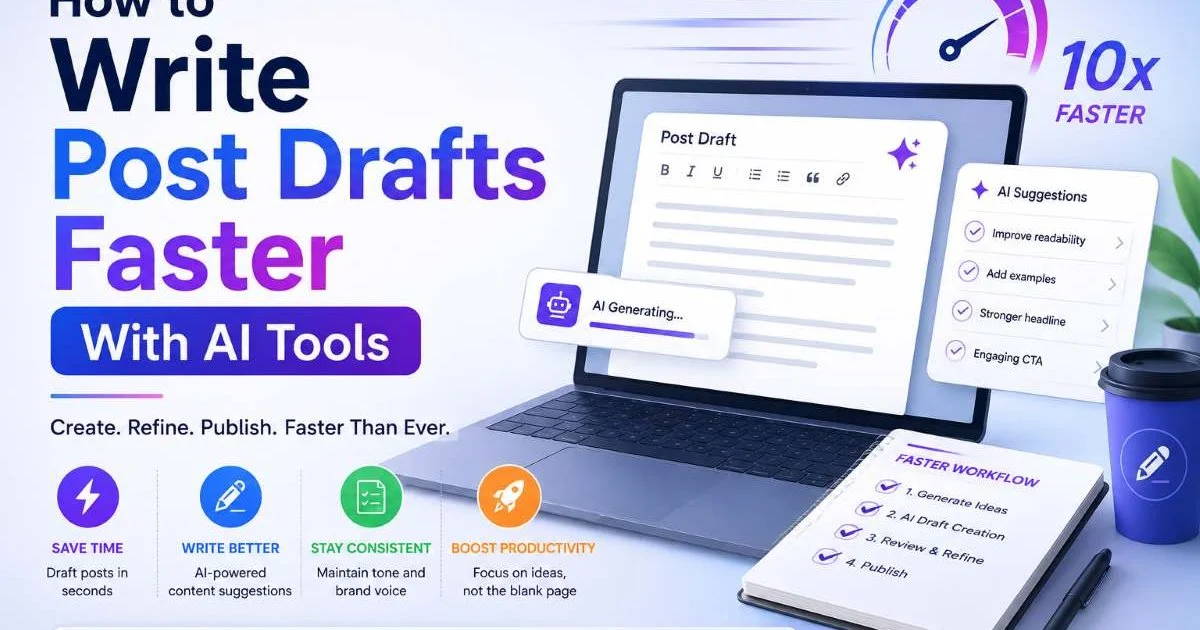
Writing post drafts faster is no longer a distant dream for bloggers and content creators. With AI tools now widely available, the process of drafting content for blogs and social media has been compressed from hours to minutes. But speed alone isn't the goal. The real win is producing structured, high-quality drafts that need minimal editing before publishing.
Many creators still struggle with blank-page paralysis, spending too much time on outlines and first sentences instead of getting ideas onto the screen. This guide walks you through a practical, step-by-step approach to writing post drafts faster using AI, without sacrificing your voice or quality. Whether you're managing a personal blog or running content creation for a brand, these tips will reshape how you approach drafting.
Key Takeaways
- AI tools cut first-draft writing time by 50% or more for most bloggers.
- A strong prompt with clear structure produces far better AI-generated drafts.
- Always edit AI output to inject your authentic voice and factual accuracy.
- Batch drafting multiple posts in one session multiplies your productivity gains.
- Combining AI drafting with a content calendar prevents last-minute scrambles entirely.
Step 1: Choose the Right AI Drafting Tool
Not all AI writing tools are built for the same purpose. Some excel at long-form blog content, while others are optimized for social media posts or ad copy. The first step in speeding up your drafting process is selecting a tool that matches your specific content creation needs. If you primarily write blog articles, you want a tool designed for AI post draft generation that understands structure, tone, and formatting requirements out of the box.
What to Look for in an AI Writing Tool
Prioritize tools that offer template-based writing, tone customization, and export options. A tool like AI Post Generator lets you define your audience, set a word count, and specify the post structure before generating anything. This upfront control saves significant editing time later. Generic tools that only offer a blank text box and a "generate" button tend to produce unfocused output that requires heavy reworking.
For a broader comparison of available options, the team at VisionVix put together a solid roundup of the best AI blog writer tools currently on the market. Their breakdown covers pricing, feature sets, and ideal use cases, which can help you narrow your choice quickly. Don't just pick the most popular option; pick the one that fits how you actually work.
Free tiers are useful for testing, but serious content creators should expect to invest in a paid plan. Free versions typically limit output length, restrict advanced features, or add watermarks. A $20 to $50 monthly subscription to the right tool will pay for itself if it saves you even five hours of writing time per month. Think of it as hiring a first-draft assistant, not replacing your creative judgment.
Sign up for free trials of at least three AI tools before committing. Test each with the same writing prompt to compare output quality directly.
Step 2: Craft Prompts That Produce Usable Drafts
The quality of your AI-generated draft depends almost entirely on the quality of your prompt. Vague instructions like "write a blog post about productivity" will get you generic, lifeless content that reads like a Wikipedia summary. Specific prompts that include your target audience, desired tone, key points to cover, and preferred structure will produce drafts that actually feel like something you'd publish. Prompt engineering isn't just a buzzword; it's a skill worth developing.
Anatomy of a High-Quality Prompt
A strong prompt includes five elements: topic, audience, tone, structure, and constraints. For example, instead of "write about email marketing," try "Write a 1,200-word how-to guide for small business owners on building an email list, using a conversational but professional tone, structured as five numbered steps with subheadings." That level of specificity gives the AI a clear framework. The output will be closer to a publishable draft from the very first generation.
Also Read: AI Writing Software vs Human Writers: Key Differences
Don't forget to include negative instructions as well. Tell the AI what to avoid: no clichés, no passive voice, no filler phrases. Constraints sharpen the output. You can also provide example sentences or a paragraph from your own writing so the AI can mimic your voice more closely. The more context you provide upfront, the less time you spend fixing the draft afterward.
Save your best prompts as templates. If you write a weekly blog post, create a reusable prompt skeleton where you only need to swap out the topic and key points. This alone can cut your drafting setup time from fifteen minutes to under three. Treat your prompt library like a valuable asset, because it is one.
AI tools respond differently to the same prompt. If switching tools, always re-test and adjust your templates for the new platform's behavior.
Step 3: Batch Your Drafting Sessions for Maximum Output
One of the most effective content creation tips for bloggers is batching. Instead of writing one post at a time, dedicate a single session to drafting multiple posts at once. AI makes this practical because generating a first draft takes minutes, not hours. You can realistically produce five to eight rough drafts in a focused two-hour session. That's potentially an entire month of blog content created in a single afternoon.
Building a Batch Workflow
Start by listing all the topics you need to cover in the coming weeks. Pull these from your content calendar, keyword research, or audience questions. Then, write your prompts for every post before you start generating. This assembly-line approach keeps you in a strategic mindset first and a production mindset second. Context-switching between planning and writing is one of the biggest hidden time drains for content creators.
Run your prompts through the AI tool one after another, saving each draft immediately into a folder organized by publish date. Don't stop to edit during this phase. The goal is raw material, not polished articles. Editing is a separate cognitive task that deserves its own dedicated session. Mixing drafting and editing in the same sitting slows you down and splits your attention in unproductive ways.
Batching also helps you spot gaps and overlaps in your content plan. When you see five drafts side by side, you'll notice if two posts cover the same ground or if an important subtopic is missing entirely. This bird's-eye view is hard to get when you're creating one post at a time under deadline pressure. Batch sessions turn reactive content creation into proactive media strategy.
Set a timer for 25 minutes per draft during batch sessions. The time pressure keeps you from over-polishing prompts and helps maintain momentum.
Step 4: Edit and Humanize Every AI Draft
Publishing raw AI output is a mistake. Every draft needs a human editing pass to add personality, verify facts, and tighten the structure. AI is excellent at producing organized first drafts with solid post structure, but it tends to default to safe, generic phrasing. Your readers follow you for your perspective, not for the same recycled advice they can find on ten other blogs. The editing phase is where your content becomes distinctly yours.
The Three-Pass Editing Method
Use a three-pass system for maximum efficiency. The first pass focuses on accuracy: check every fact, statistic, and recommendation. AI models can hallucinate data or cite outdated information. Remove anything you can't verify. The second pass targets voice and tone. Read sentences aloud and rewrite anything that sounds robotic or overly formal. Replace generic phrases with specific examples from your own experience or industry knowledge.
"AI writes the skeleton. You add the muscle, the skin, and the personality that makes readers come back."
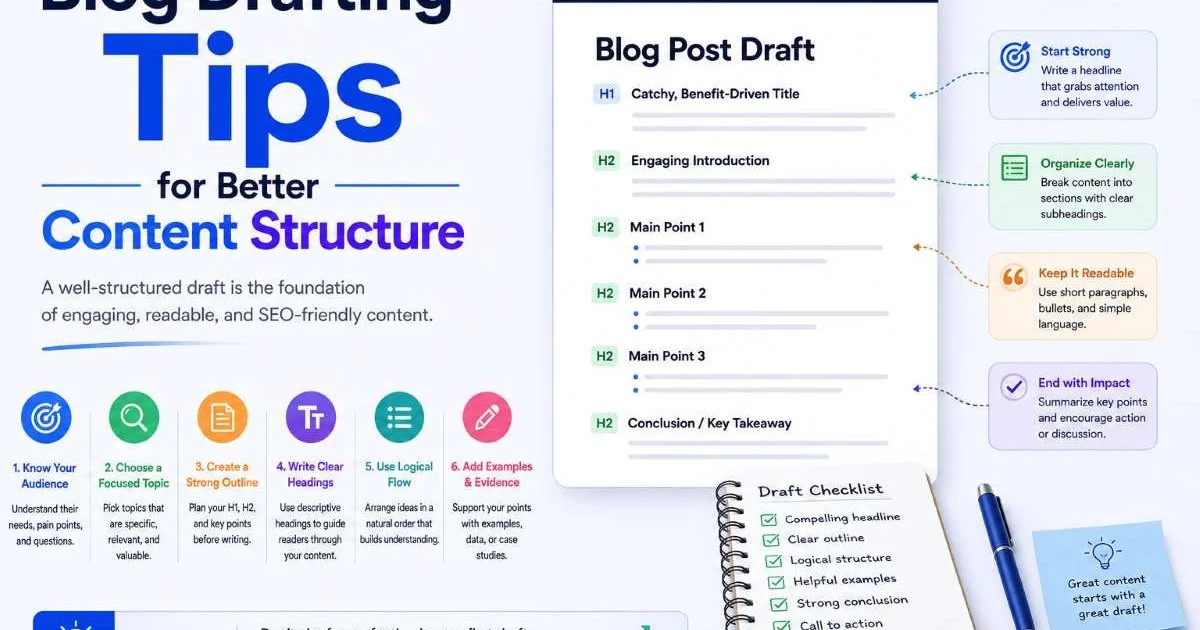
The third pass is structural. Examine your headings, paragraph lengths, and flow. Does the post move logically from one point to the next? Are there sections that drag or feel repetitive? Cut ruthlessly. A tight 1,000-word post outperforms a bloated 2,000-word one every time. This is also the pass where you add internal links, images, and calls to action that AI rarely places well on its own.
| Editing Pass | Focus Area | Key Actions | Time Estimate |
|---|---|---|---|
| Pass 1: Accuracy | Facts and data | Verify stats, remove hallucinations, check sources | 10 to 15 min |
| Pass 2: Voice | Tone and personality | Rewrite generic phrases, add personal examples | 15 to 20 min |
| Pass 3: Structure | Flow and formatting | Tighten paragraphs, add links, optimize headings | 10 to 15 min |
Budget thirty to fifty minutes for editing each AI-generated draft. That might seem like a lot, but compare it to writing the entire post from scratch in two hours or more. You're still saving over 50% of your total time. The key insight is that AI doesn't eliminate editing; it eliminates the hardest part of writing, which is getting organized thoughts onto the page for the first time. Once the draft exists, your creative energy goes toward refinement, not generation.
Never publish AI content without fact-checking. Inaccurate claims damage your credibility far more than a missed publishing deadline.
FAQs
Final Thoughts
AI tools have fundamentally changed how bloggers and content creators approach drafting. By choosing the right tool, writing detailed prompts, batching your sessions, and editing with purpose, you can produce more content in less time without losing quality. The goal isn't to remove yourself from the writing process.
It's to spend your creative energy where it matters most: on ideas, voice, and connection with your audience. Start with one AI-assisted draft this week and see how much time you reclaim.
Disclaimer: Portions of this content may have been generated using AI tools to enhance clarity and brevity. While reviewed by a human, independent verification is encouraged.